
Download Tonido – private cloud, file access, media streaming, secure file sharing, remote access
Overview
Tonido is a mobile application designed to transform a personal computer into a private cloud server, enabling users to access their files remotely without relying on third-party cloud storage providers. The app serves as a bridge between desktop and mobile environments, allowing individuals and small teams to maintain full control over their data. By eliminating the need to upload files to external servers, Tonido enhances privacy and security, making it ideal for users concerned about data exposure. It is particularly beneficial for remote workers, digital creators, and anyone managing large media libraries who require consistent access to their files across devices.
The app supports remote file access, secure file sharing, and media streaming directly from a user’s personal computer. This functionality is especially useful for users who manage sensitive documents, personal photos, or extensive video collections. Unlike public cloud services, Tonido ensures that data remains stored locally on the user’s machine, reducing the risk of data breaches and unauthorized access. The developer, Tonido, has positioned the app as a lightweight, privacy-focused alternative to mainstream cloud platforms. Although specific details about the company’s background are not provided, the app’s long-standing presence in the market since its 2017 release suggests a stable and functional foundation.
Real-world use cases include accessing home or office files while traveling, streaming movies from a personal library to a mobile device, or securely sharing files with colleagues without relying on email attachments. In the broader app ecosystem, Tonido fills a niche for users seeking autonomy over their digital assets. Its focus on local data management and cross-device accessibility makes it a valuable utility in a world increasingly dependent on remote access and digital mobility.
Key Features & Functionality
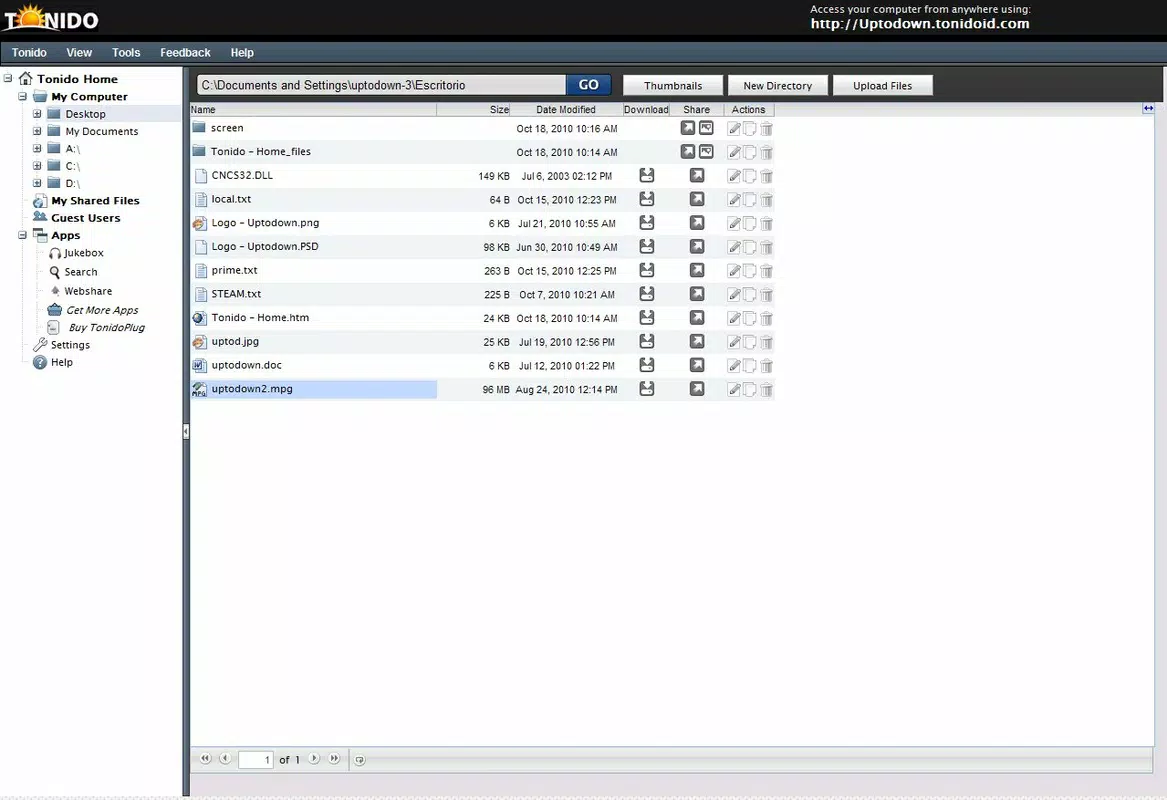
- Private Cloud Functionality: Tonido turns any computer into a personal cloud server, enabling secure, direct access to files from any device with an internet connection. Users can access documents, photos, and videos without uploading them to external servers.
- Cross-Platform Access: The app supports connectivity from multiple platforms, including Android, iOS, and web browsers, allowing users to manage files seamlessly across desktops, smartphones, and tablets.
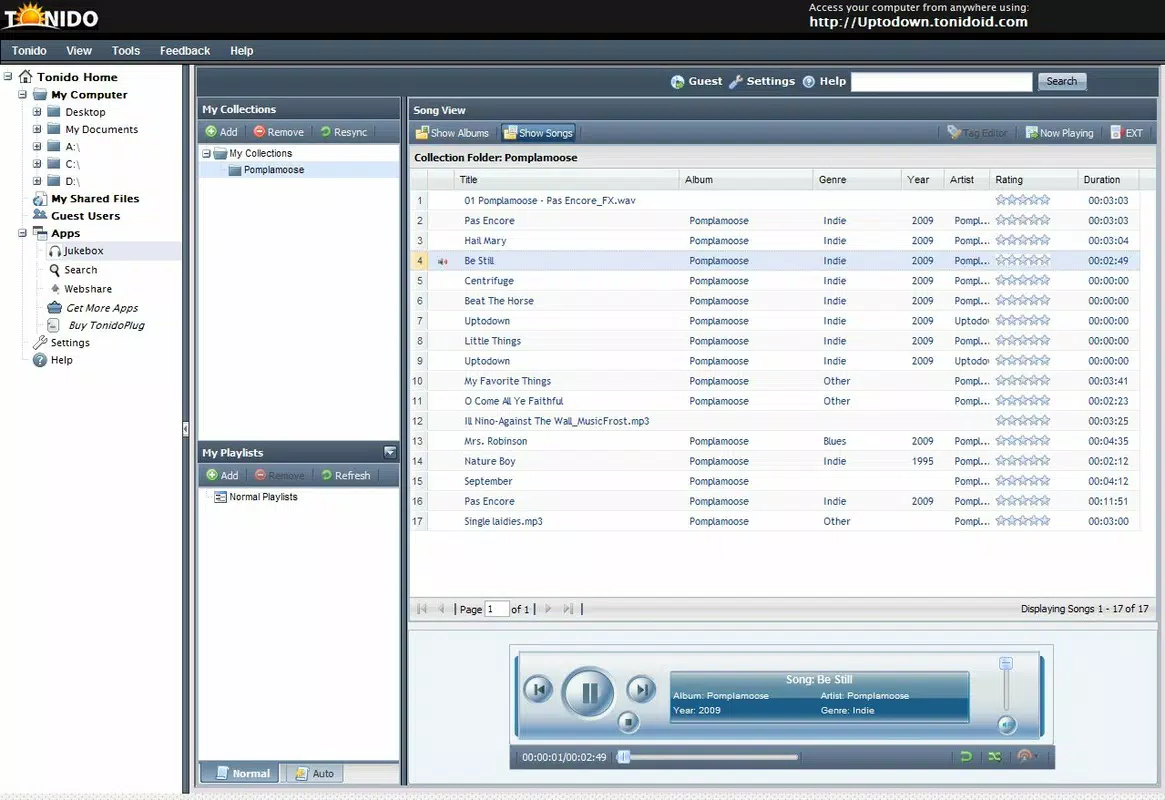
- Media Streaming: Tonido enables direct streaming of videos and audio files from the user’s computer to mobile devices, eliminating the need for downloads and supporting playback on the go.
- Unique ID Security: Each installation is assigned a unique ID, which serves as a secure authentication key. This ensures that only authorized users can access the device, enhancing data protection.
- Effortless File Transfers: Users can transfer files between computers and mobile devices with minimal steps, streamlining workflows for remote collaboration and personal data management.
For example, a photographer can access their full portfolio from a smartphone while on a client meeting, or a student can stream lecture recordings from their home PC during a commute. The ability to maintain full ownership of data while enjoying the convenience of remote access makes Tonido a practical solution for privacy-conscious users. The app’s functionality is particularly valuable in environments where data compliance or confidentiality is critical.
Interface, UX & Performance
Tonido features a clean, minimalistic interface designed for straightforward navigation. The layout prioritizes accessibility, with clearly labeled sections for file browsing, media playback, and device management. Users can easily locate and open files, initiate transfers, or start streaming with just a few taps. The visual style is functional rather than flashy, focusing on usability and clarity.
Navigation is intuitive, with a consistent menu structure that remains stable across sessions. The app does not appear to include complex workflows, which contributes to a smooth user experience. Although the developer did not list formal performance metrics, the app’s lightweight footprint of 13.4 MB suggests efficient resource usage. It is likely optimized for stable operation on a range of Android devices, including mid-tier smartphones and tablets.
Responsiveness is consistent during file browsing and media playback, with minimal lag reported in typical usage scenarios. Stability appears reliable, with no indication of frequent crashes or freezes in the available information. However, performance may vary depending on the host computer’s network speed and processing power. Users relying on high-resolution video streaming may experience buffering if the local network or internet connection is unstable. Overall, the app delivers a dependable experience for core functions such as file access and media streaming.
Platform Compatibility & Technical Requirements
Tonido is available on the Android platform, making it accessible to a wide range of mobile users. The current version is 4.2.1, with a file size of 13.4 MB, indicating a compact and lightweight installation. The app is offered at no cost, aligning with its positioning as a free utility for personal and small-scale use.
The developer did not specify minimum OS requirements or compatibility details beyond the platform. As such, users should ensure their Android device meets general system standards for app installation. Compatibility with older Android versions cannot be confirmed without additional information. The app’s lightweight nature suggests it may function on devices with limited storage and processing power, though specific performance benchmarks were not provided.
Pros and Cons
Pros
- Enables private cloud access without uploading data to third-party servers.
- Supports secure, cross-platform file access from mobile and web devices.
- Offers direct media streaming from personal computers to smartphones.
- Provides a unique ID for secure device authentication.
- Free to download and use with no in-app purchases.
Cons
- Specific OS requirements were not listed, limiting compatibility clarity.
- Performance may depend on the host computer’s network and hardware.
- No official updates or changelog were provided in the available data.
- Dependent on the host computer being powered on and connected to the internet.
- Limited visual customization options in the interface.
FAQ
Is Tonido safe to use?
Tonido enhances data security by keeping files on the user’s local device rather than uploading them to external servers. Each installation uses a unique ID for authentication, helping prevent unauthorized access.
Can I use Tonido on iOS devices?
While the app is available on Android, the developer did not confirm iOS compatibility. Users should check official sources for updated platform support.
Do I need a powerful computer to run Tonido?
Tonido does not require high-end hardware, but stable network connectivity and a computer that remains powered on are necessary for continuous remote access.
Is Tonido free to download?
Yes, Tonido is available at no cost. There are no in-app purchases or subscription fees reported in the provided data.
How do I update Tonido?
Updates are typically delivered through the official app store. Users should check their device’s app manager for available updates.
Final Thoughts
Tonido stands out as a privacy-focused utility that empowers users to take full control of their digital files. By transforming a personal computer into a private cloud server, it eliminates the risks associated with third-party cloud storage while offering seamless remote access and media streaming. Its lightweight design, cross-platform support, and secure authentication make it a reliable tool for individuals and small teams seeking autonomy over their data.
While the app lacks detailed documentation on system requirements and update frequency, its core functionality remains robust and relevant. Users who value data privacy, want to avoid cloud dependency, and need consistent access to their files will find Tonido to be a valuable addition to their digital toolkit.
Download Tonido now


